ADHD Productivity Apps: Dopamine-Friendly Tools for 2026
By the MindScout team · Updated September 2026 · 11 apps · 10 min read
Standard productivity apps assume you can look at a long list, pick the right task and start. With ADHD, the list is often the problem: starting is hard, time slips, ideas arrive faster than you can file them, and reminders stop registering after a few days. ADHD productivity apps are built around those gaps, with quick capture, small steps, visible progress, nudges that change, and fewer distractions.
These are the productivity apps on MindScout that are designed for ADHD or tagged for it, ranked by likes from our community. Each entry shows what the app is best for, its store ratings, pricing and a screenshot. After the list you will find what makes a tool dopamine-friendly, task prompting apps, thought organizers, planning by energy, gamified productivity, distraction blockers and productivity coach apps, followed by tips and common questions.
You do not need a diagnosis to use any of these apps. They can make daily life easier, but they do not treat ADHD.
Our picks at a glance
- 1.addTaskManager — best for ADHD (Free, in-app purchases from $4.99)
- 2.App Pause: Mindful Screen Time — best for mindfulness (Free, in-app purchases from $1.69)
- 3.My Planio — best for ADHD (Free)
- 4.ModernSam — best for ADHD (Free, in-app purchases from $2.99)
- 5.Smart Silence — best for ADHD (Free)
- 6.Exoplan — best for ADHD (Free, in-app purchases from $9.99)
- 7.Focus Quest — best for ADHD (Free, in-app purchases from $0.99, contains ads)
- 8.MindMirror — best for ADHD (Free, in-app purchases from $4.99)
- 9.MindPace — best for ADHD (Free, in-app purchases from $3.99)
- 10.Sup - Better Habits — best for ADHD (Free)
- 11.Cortex Lantern — best for ADHD (Free, in-app purchases from $5.99)
| App | Best for | App Store | Google Play | Pricing | Platforms |
|---|---|---|---|---|---|
| 1addTaskManager | ADHD | Few ratings yet | — | Free, in-app purchases from $4.99 | iOS |
| 2App Pause: Mindful Screen Time | Mindfulness | — | 4.6★ (308) | Free, in-app purchases from $1.69 | Android |
| 3My Planio | ADHD | Few ratings yet | Few ratings yet | Free | iOS, Android |
| 4ModernSam | ADHD | 4.8★ (71) | 4.3★ (498) | Free, in-app purchases from $2.99 | iOS, Android |
| 5Smart Silence | ADHD | Few ratings yet | — | Free | iOS |
| 6Exoplan | ADHD | 3.6★ (11) | — | Free, in-app purchases from $9.99 | iOS |
| 7Focus Quest | ADHD | 4.7★ (504) | 4.5★ (6.8K) | Free, in-app purchases from $0.99, contains ads | iOS, Android |
| 8MindMirror | ADHD | Few ratings yet | — | Free, in-app purchases from $4.99 | iOS |
| 9MindPace | ADHD | Few ratings yet | — | Free, in-app purchases from $3.99 | iOS |
| 10Sup - Better Habits | ADHD | 4.5★ (5.0K) | — | Free | iOS |
| 11Cortex Lantern | ADHD | Few ratings yet | — | Free, in-app purchases from $5.99 | iOS |
How we evaluated these apps
- Every app is listed on MindScout and was reviewed by our team before it was published.
- Apps are ordered by likes from the MindScout community.
- Ratings and the number of ratings come from the public App Store and Google Play listings.
- Pricing is taken from those listings: the price, in-app purchases and whether the app shows ads.
- Store data is refreshed regularly; check the store for the latest price in your country.

1. addTaskManager: Best for ADHD
ADHD friendly task manager
- Platforms
- iOS
- Pricing
- Free, in-app purchases from $4.99
- MindScout likes
- 6
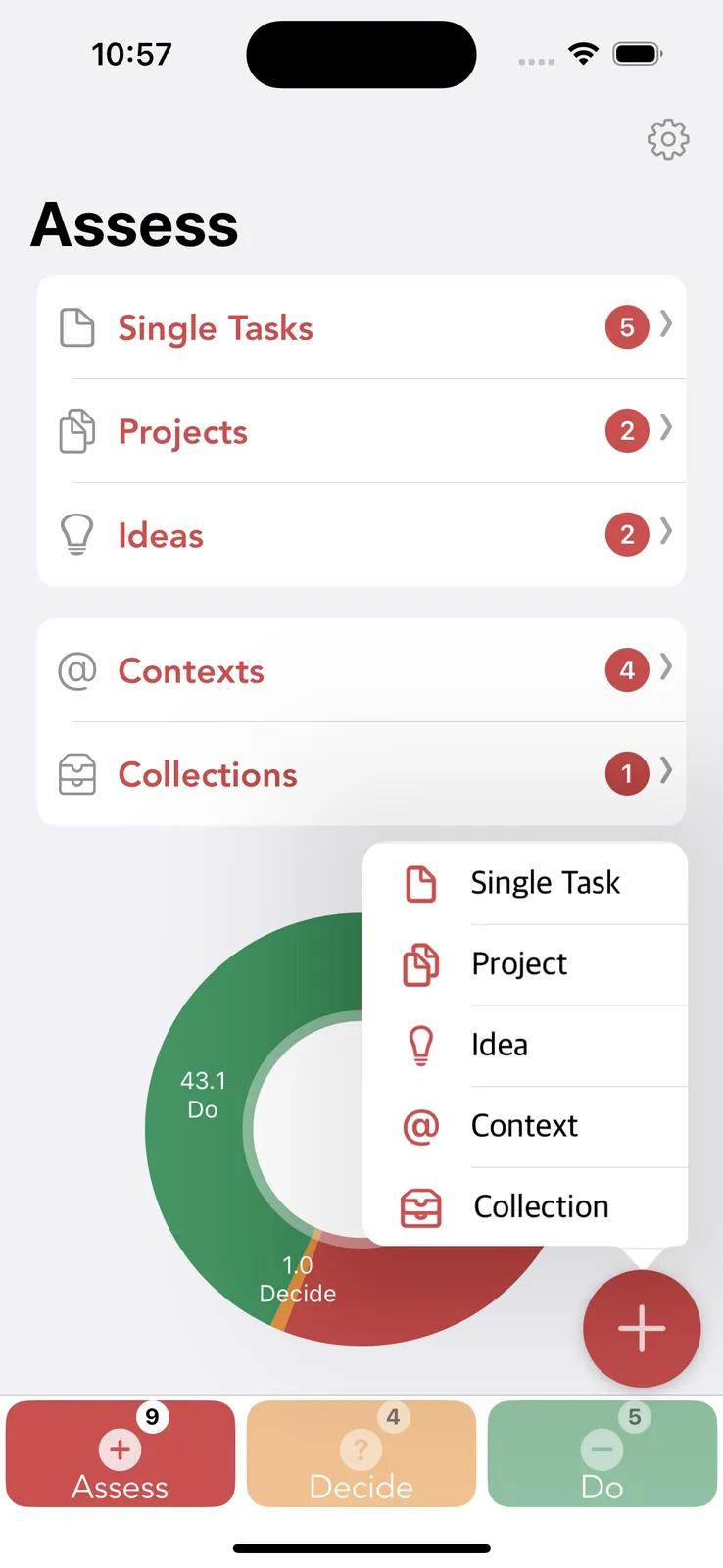
add Task Manager is a minimalist, AI-powered productivity app built around the ADD method: Assess – Decide – Do. Designed for ADHD minds and deep work seekers, it helps you capture ideas, plan tasks with clarity, and focus without overwhelm. With smart scheduling, habit tracking, and a clean, zen-inspired interface, add Task Manager supports sustainable focus, mindful execution, and stress-free productivity.
Tags: ADHD, productivity, AI companion, focus timer, habit tracker

2. App Pause: Mindful Screen Time: Best for mindfulness
Reduce screen time with mindful pause.
- Platforms
- Android
- Pricing
- Free, in-app purchases from $1.69
- MindScout likes
- 4
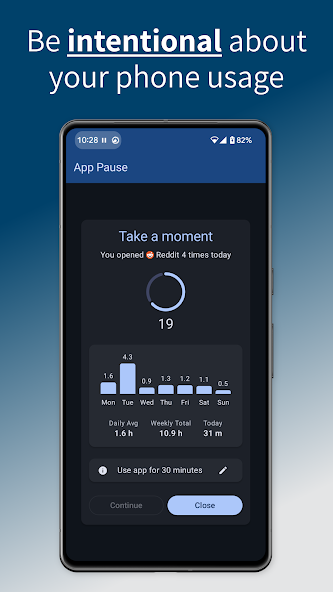
Tired of doomscrolling? App Pause helps you cut screen time by adding a customizable delay when opening apps. This simple pause gives you a moment to break the habit of mindless scrolling. When you launch an app, a waiting screen shows your usage stats, letting you mindfully decide whether to proceed or close it. Features like Grace Periods and a Floating Timer help you stay focused. Ditch app addiction and use your phone with intention. Download App Pause to build healthier digital habits!
Tags: free, mindfulness, productivity, ADHD

3. My Planio: Best for ADHD
Personalized planning for ADHD & autism - structure your day around energy level
- Platforms
- iOS, Android
- Pricing
- Free
- MindScout likes
- 4
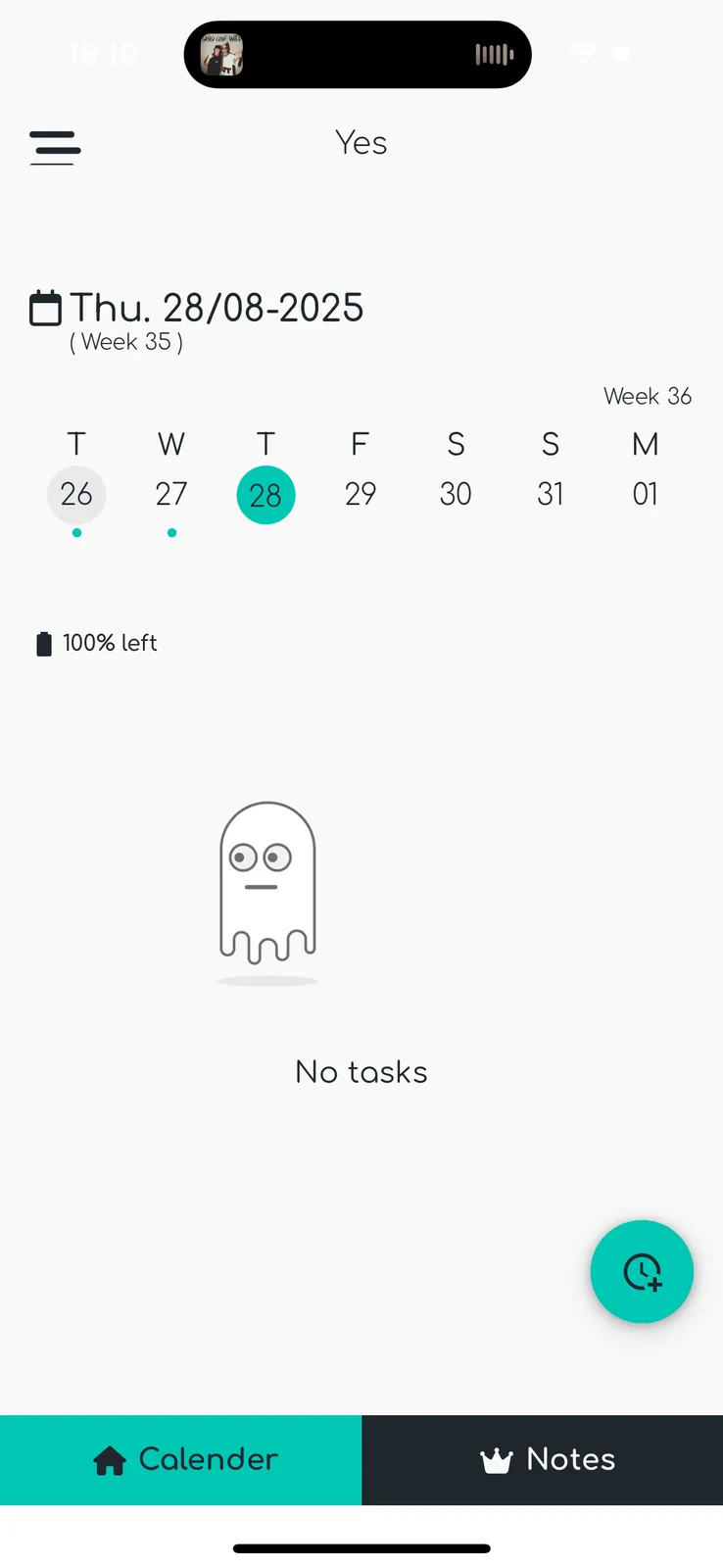
Min Planio is a planning app designed for adults with ADHD and autism. Traditional calendars often create stress when life doesn’t go as planned. Min Planio flips the script: plan by energy, not just time. Break tasks into small, manageable steps, track progress visually, and customize everything from colors to themes. Built with feedback from real users, it reduces overwhelm, improves structure, and helps you build routines that actually stick.
Tags: ADHD, planning, mood tracker, productivity, resilience, self‑discovery

4. ModernSam: Best for ADHD
An RPG‑style self‑care and productivity app designed for ADHD users.
- Platforms
- iOS, Android
- Pricing
- Free, in-app purchases from $2.99
- MindScout likes
- 3
ModernSam gamifies life tasks by turning them into quests with XP, coins, beasts and archetype progression. Designed for ADHD support, it offers immersive storylines, character classes and community challenges. Tasks like focus, fitness, self‑care become in‑game actions, and it was Kickstarter‑funded by ADHD‑diagnosed founder aiming to solve motivation gaps
Tags: ADHD, productivity, gamification, self-care
5. Smart Silence: Best for ADHD
Helps people stay distraction-free by using location to remind them to set DND.
- Platforms
- iOS
- Pricing
- Free
- MindScout likes
- 3
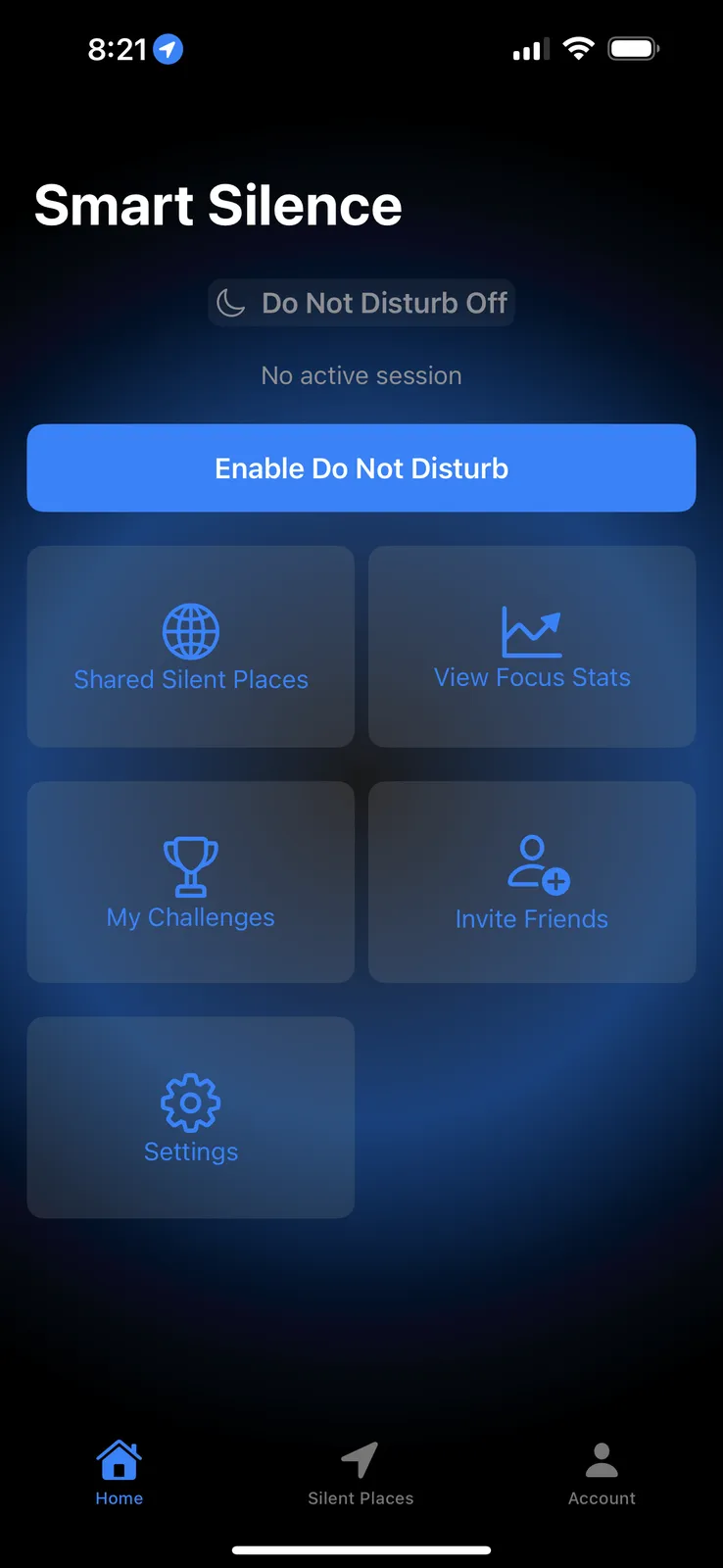
Smart Silence is a privacy-focused iOS app that helps you stay distraction-free by reminding or prompting you to enable Do Not Disturb based on your location, schedule, or context. Whether you’re entering a house of worship, library, classroom, or deep focus session, Smart Silence helps you stay present and respectful — without forgetting.
Tags: ADHD, free, productivity, focus
6. Exoplan: Best for ADHD
Health-Driven Calendar
- Platforms
- iOS
- Pricing
- Free, in-app purchases from $9.99
- MindScout likes
- 2
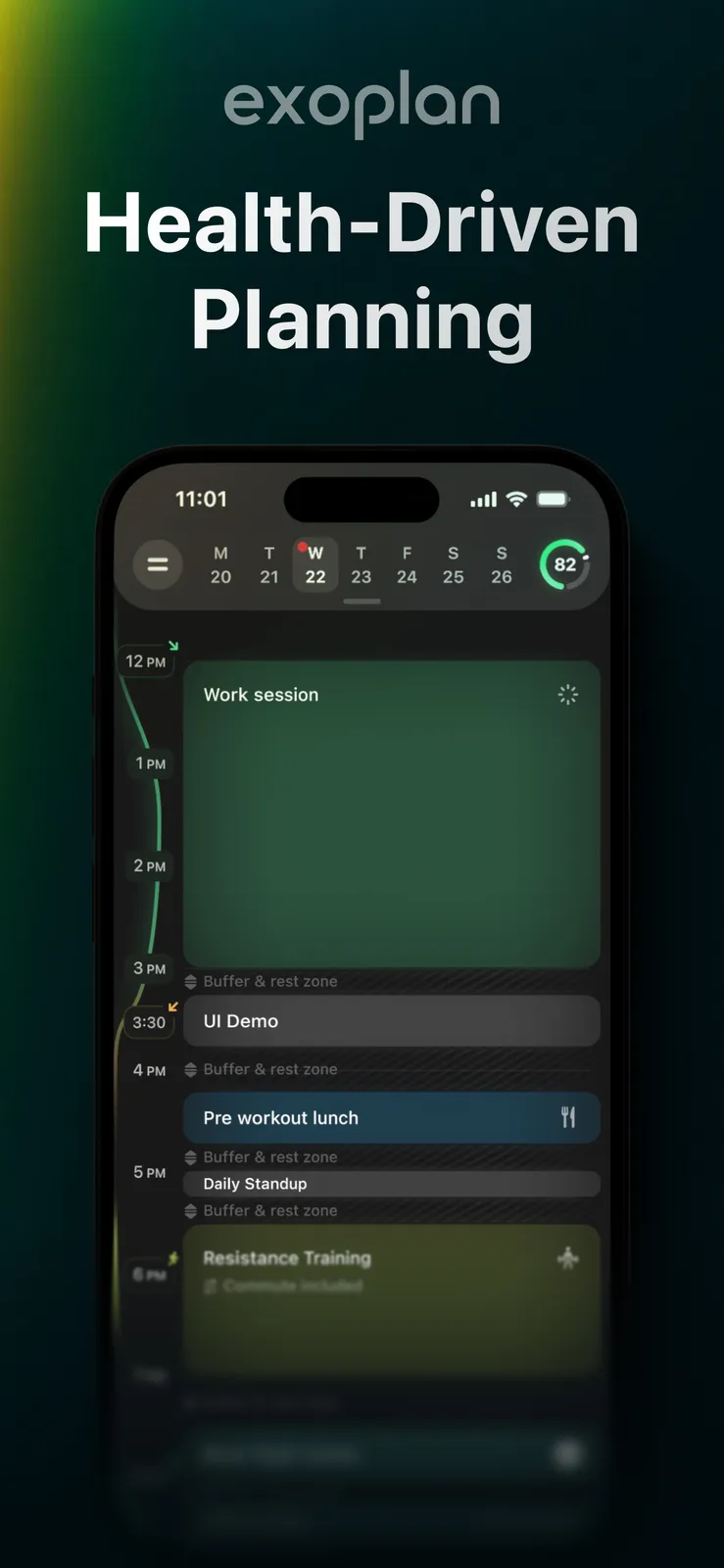
A calendar that syncs with your body signals to get you more productive and less stressed. It allows you to see your energy peaks, and seamlessly schedule according to them.
Tags: ADHD, AI companion, sleep, apple, mental health

7. Focus Quest: Best for ADHD
Gamified productivity RPG that helps beat phone addiction and manage ADHD
- Platforms
- iOS, Android
- Pricing
- Free, in-app purchases from $0.99, contains ads
- MindScout likes
- 2
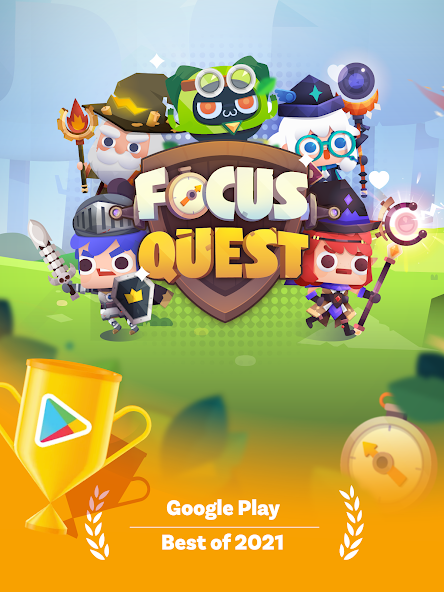
Focus Quest is a productivity RPG gamification app that helps users beat phone addiction, manage ADHD, avoid distractions, and stop procrastination. Users collect hero resources when they focus, train their hero, forge powerful gears, and battle through stages to save Focusland. The app incorporates gamification elements to provide a focus booster for users seeking to overcome distractions and stay on task for better productivity.
Tags: ADHD, gamification, focus, pomodoro, productivity, self-care
8. MindMirror: Best for ADHD
Note app
- Platforms
- iOS
- Pricing
- Free, in-app purchases from $4.99
- MindScout likes
- 2
It eliminates the need for organization and allows users to be messy and still find information with ease by asking a question. It has smart search, file uploads as text notes, voice transcription, summaries and AI text enhancements.
Tags: ADHD, apple

9. MindPace: Best for ADHD
Help to focus and manage stress
- Platforms
- iOS
- Pricing
- Free, in-app purchases from $3.99
- MindScout likes
- 2
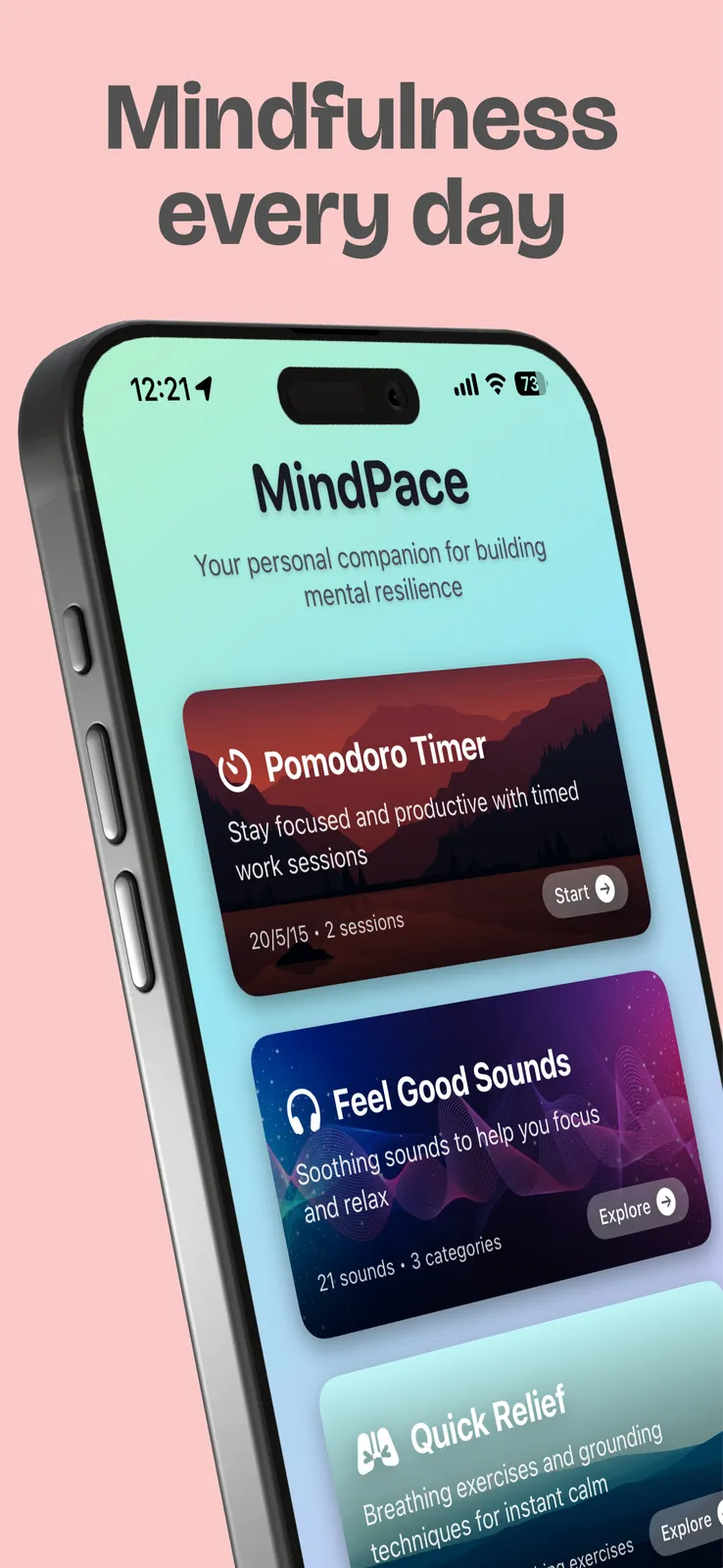
MindPace is a simple iOS app designed for ADHD brains. It combines a Pomodoro timer, thought reframing cards, focus sounds, and quick ADHD tips—all in one calming, distraction-free space. No subscriptions, no logins, no pressure—just a one-time purchase for tools that help you focus, reset, and regulate without overwhelm.
Tags: ADHD, anxiety, focus timer, productivity, relaxation
10. Sup - Better Habits: Best for ADHD
Add notes to your reminders to track progress and record important info.
- Platforms
- iOS
- Pricing
- Free
- MindScout likes
- 1
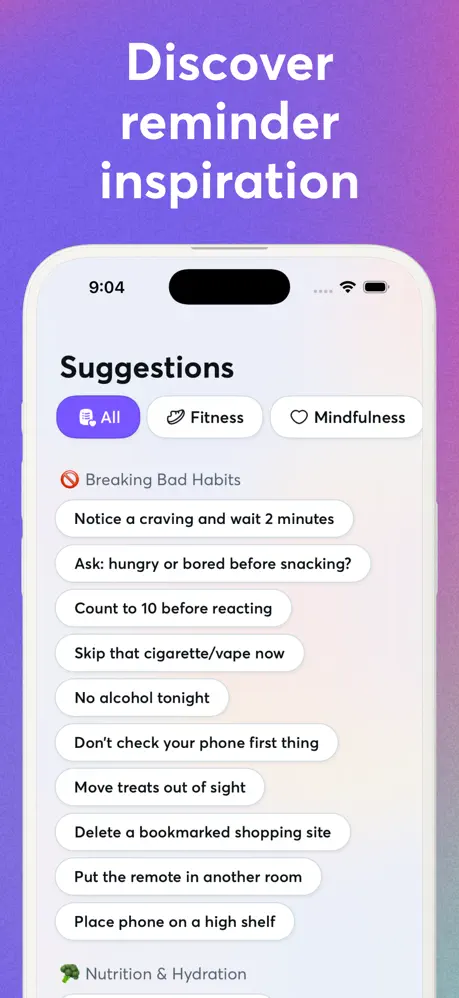
Add notes to your reminders to track progress and record important info. Simple, quick, and organised. Most habit tracker apps fail because your brain learns to ignore predictable notifications. By day three, that 6pm workout alarm is invisible. Sup is different. It uses randomised timing and fresh personalised prompts to keep your brain engaged. Every message feels new so you actually act on it. Build the habits that shape the person you want to be: * Mental health check-ins at random times
- Mental health check-ins at random times
Tags: ADHD, anxiety, focus, free
11. Cortex Lantern: Best for ADHD
Focus timer app that helps rebuild attention span with visual progress
- Platforms
- iOS
- Pricing
- Free, in-app purchases from $5.99
- MindScout likes
- 0
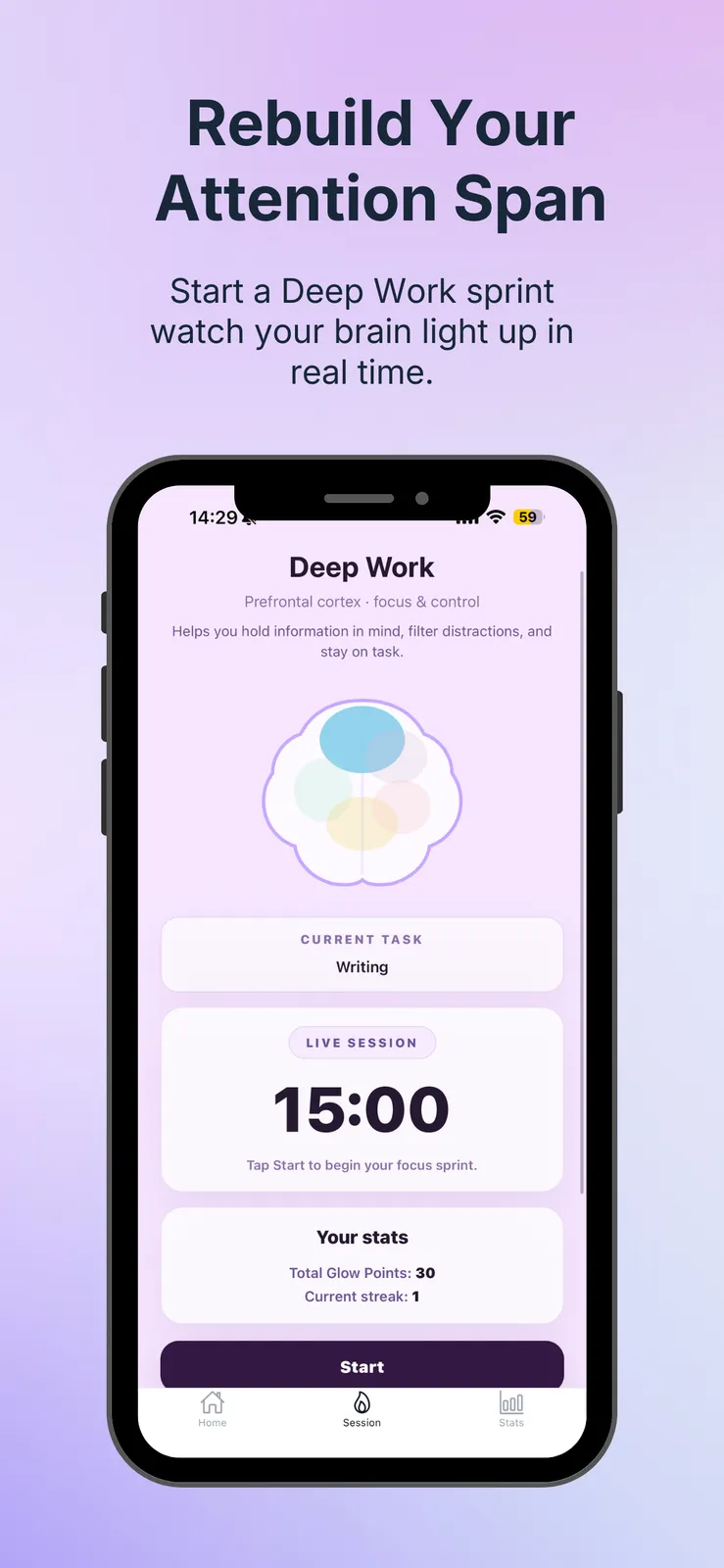
Cortex Lantern is an iPhone focus timer designed to help users rebuild their attention span through short focus sprints, 5 cognitive pathways, and visible progress. Unlike a basic Pomodoro timer, it makes focus feel more motivating with streaks, glow points, and unlockable brain visuals. It’s built for students, creators, founders, and professionals who want support staying consistent with deep work and study sessions.
Tags: ADHD, focus timer, focus, habit tracker, pomodoro
Best free options
- addTaskManager: Free, in-app purchases from $4.99
- App Pause: Mindful Screen Time: Free, in-app purchases from $1.69
- My Planio: Free
- ModernSam: Free, in-app purchases from $2.99
- Smart Silence: Free
- Exoplan: Free, in-app purchases from $9.99
- Focus Quest: Free, in-app purchases from $0.99, contains ads
- MindMirror: Free, in-app purchases from $4.99
- MindPace: Free, in-app purchases from $3.99
- Sup - Better Habits: Free
- Cortex Lantern: Free, in-app purchases from $5.99
What makes a productivity tool dopamine-friendly
“Dopamine-friendly” is shorthand, not a medical term. It describes tools that give quick, frequent feedback and make the first step small, which many people with ADHD find easier to act on than a distant deadline. The label does not mean an app changes brain chemistry; it means the design works with how motivation tends to feel rather than against it.
In practice that means a few recognisable features. Tasks can be broken into steps small enough to start right now. Progress is visible straight away, through a check mark, a sound, points, a growing streak or a character that levels up. Capturing a thought takes one tap or a voice note, with sorting left for later. And the app looks calm: fewer screens, fewer settings, fewer places to get lost.
Novelty matters too. A reward that felt great in week one can fade by week four, so some people rotate between two or three tools, or pick apps that change their prompts and rewards over time.
Task prompting apps: getting nudged to start
Task prompting apps focus on the moment of starting. Instead of a single alarm at the same time every day, they send reminders that vary in timing or wording, attach a note that tells you exactly what the first step is, or trigger a prompt when you arrive somewhere, such as switching on Do Not Disturb when you reach the library or the office.
The reason is notification blindness: a reminder that arrives at 6pm every day becomes invisible within a week. Prompts that change, or that arrive at the moment and place where the task happens, are harder to tune out. If you have tried plain reminder apps and stopped seeing them, look for randomised timing, location triggers or prompts you can rewrite.
Thought organizer apps and brain dumps
A thought organizer app is a place to empty your head fast. The best ones let you capture a thought by typing, dictating or pasting, without deciding first where it belongs. Some then use search or AI to find it again by asking a question, summarise long notes, or turn a messy brain dump into a list of tasks.
This suits people who lose ideas because filing them feels like work. When comparing apps, check how quickly you can capture from the lock screen or a widget, whether voice notes are transcribed, and whether you can export everything if you move on.
Planning by energy, not just by time
Calendars assume every hour is the same. For many people with ADHD, and for autistic people, the real constraint is energy: the same task can take ten minutes on a good morning and be impossible after a long meeting. Some planners let you rate tasks by the energy they take and plan the day around how you feel, or break a task into small steps you can tick off one at a time.
A related idea is a calendar that looks at health signals such as sleep and activity to suggest when to schedule demanding work. Whether you use a dedicated app or not, noting your energy next to tasks for a week is a useful way to see when you do your best work.
Gamified productivity for ADHD
Some apps turn tasks into a game: quests with experience points and coins, a hero to train, or stages to beat by staying focused. For people who respond to immediate rewards, a to-do list that feels like a game can be the difference between starting and not. The trade-off is that games can become a distraction of their own, so set a limit on how long you spend customising your character.
If you like the idea of looking after a pet or a character while you build daily self-care habits, see our guide to self-care pet apps.
Distraction blockers and screen-time tools
A lot of lost time is lost to the phone. Screen-time tools add a short pause before a distracting app opens, show how often you have opened it today, or remind you to silence notifications where you need to concentrate. The pause is often enough to turn an automatic tap into a choice.
Productivity coach apps and AI assistants
Several ADHD apps now include an AI assistant that acts like a productivity coach: it helps you decide what matters today, breaks large tasks down, or suggests when to schedule them. This can take the edge off decision fatigue. Read how your data is used before you connect a calendar or type in personal details, and treat the suggestions as a starting point rather than instructions.
How to choose
- Start with your biggest sticking point: starting tasks, remembering them, planning the day, or staying off your phone. Pick one app for that first.
- Capture should take seconds. Try adding a task or a thought from the lock screen or a widget before you commit to an app.
- Prefer apps with a calm, simple interface; a tool with twenty settings becomes one more thing to manage.
- If rewards motivate you, look for visible progress or game mechanics; if they distract you, choose a minimal app instead.
- Check how reminders work. Varied timing, location triggers or rewritable prompts are harder to tune out than a fixed daily alarm.
- Look at the price model. Some ADHD apps are one-time purchases, which can be easier to justify than another subscription.
- Give an app two weeks before judging it, and expect to switch tools occasionally when the novelty fades.
Frequently asked questions
What is the best productivity app for ADHD?
It depends on where you get stuck. Task managers with small steps help with starting, energy-based planners help with overwhelm, thought organizers help with capturing ideas, and screen-time tools help with distraction. The list above is ranked by MindScout community likes, and each entry says what the app is best for.
What are dopamine-friendly productivity tools?
Tools designed to give quick, visible feedback and make the first step small, for example checklists with instant rewards, gamified to-do lists and timers with progress you can see. The term describes the design, not a medical effect.
What are task prompting apps?
Apps that nudge you to start a task at the right moment, with reminders that vary in timing or wording, notes that spell out the first step, or prompts triggered by a place or a schedule. They are designed to avoid the notification blindness that fixed daily reminders cause.
What is a good thought organizer app?
One where capturing a thought takes a single tap or a voice note and you can find it again later without having filed it. Look for quick capture, search or AI summaries, and export.
What are stim apps?
The term usually means fidget-style apps with sensory feedback, such as popping, spinning or tapping, used to self-soothe or focus. None of the apps on this page is a stim app; they are planning, task and focus tools.
Do I need an ADHD diagnosis to use these apps?
No. They are ordinary productivity apps designed with ADHD in mind, and anyone who finds standard to-do lists hard to stick with can use them. They support daily life but are not a treatment; talk to a doctor about assessment or treatment.
How are these apps ranked?
By the number of likes each app has from the MindScout community. Store ratings and pricing are shown for reference and do not change the order.
Which of these apps are free?
11 of the 11 apps here can be used for free: addTaskManager (free, in-app purchases from $4.99); App Pause: Mindful Screen Time (free, in-app purchases from $1.69); My Planio (free); ModernSam (free, in-app purchases from $2.99); Smart Silence (free); Exoplan (free, in-app purchases from $9.99); Focus Quest (free, in-app purchases from $0.99, contains ads); MindMirror (free, in-app purchases from $4.99); MindPace (free, in-app purchases from $3.99); Sup - Better Habits (free); Cortex Lantern (free, in-app purchases from $5.99). Store pricing can differ by country.