
Community-ranked guide
The Best Productivity Tools for Parents in 2026
Parents run two schedules at once: their own work and the family’s school runs, clubs, appointments, birthdays and permission slips. The right productivity tools make that visible in one place, let a partner see and change it, and take reminders out of your head so you can be present for the parts that matter.
These are the calendars, to-do lists, planners and notes apps listed on MindScout, ranked by likes from our community. Each entry shows what the app is best for, its App Store and Google Play ratings, its pricing and a screenshot. After the list you will find what parents need from a productivity tool, how to set up a family calendar and shared lists, where AI scheduling helps working parents, how to keep family information in one place, and how to make room for your own self-care.
Our picks at a glance
- 1
 Notionbest for productivityFree, in-app purchases from $11.99
 - 2
 Meow Todo List & Taskbest for productivityFree, in-app purchases from $0.99, contains ads
 - 3
 Relogglybest for journalingSee website
 - 4
 Any.dobest for productivityFree, in-app purchases from $0.99
 - 5
 Apple Calendarbest for productivityFree
 - 6
 Google Calendarbest for productivityFree, in-app purchases from $0.05
 - 7
 Motionbest for productivityFree, in-app purchases from $1.69
 - 8
 Obsidianbest for productivityFree
 - 9
 Sunsamabest for productivityFree
 - 10
 Things 3best for planningPaid, $9.99
 - 11
 Todoistbest for productivityFree, in-app purchases from $0.99
Compare the 11 apps
| App | Best for | App Store | Google Play | Pricing | Platforms |
|---|---|---|---|---|---|
| 1Notion | Productivity | 4.8★ (90.4K) | 4.6★ (398K) | Free, in-app purchases from $11.99 | iOSAndroid |
| 2Meow Todo List & Task | Productivity | Few ratings yet | 4.0★ (1.0K) | Free, in-app purchases from $0.99, contains ads | iOSAndroid |
| 3Reloggly | Journaling | — | — | — | iOSAndroid |
| 4Any.do | Productivity | 4.6★ (50.5K) | 4.4★ (506K) | Free, in-app purchases from $0.99 | iOSAndroid |
| 5Apple Calendar | Productivity | 4.9★ (1.5M) | — | Free | iOS |
| 6Google Calendar | Productivity | 4.5★ (132K) | 4.6★ (4.9M) | Free, in-app purchases from $0.05 | iOSAndroid |
| 7Motion | Productivity | 4.1★ (1.9K) | 3.9★ (1.5K) | Free, in-app purchases from $1.69 | iOSAndroid |
| 8Obsidian | Productivity | 4.5★ (2.8K) | 4.3★ (18.8K) | Free | iOSAndroid |
| 9Sunsama | Productivity | 4.5★ (510) | 4.3★ (445) | Free | iOSAndroid |
| 10Things 3 | Planning | 4.8★ (28.0K) | — | Paid, $9.99 | iOS |
| 11Todoist | Productivity | 4.8★ (130K) | 4.6★ (306K) | Free, in-app purchases from $0.99 | iOSAndroid |
How we evaluated these apps
- Every app is listed on MindScout and was reviewed by our team before it was published.
- Apps are ordered by likes from the MindScout community.
- Ratings and the number of ratings come from the public App Store and Google Play listings.
- Pricing is taken from those listings: the price, in-app purchases and whether the app shows ads.
- Store data is refreshed regularly; check the store for the latest price in your country.
1. Notion: Best for productivity
All-in-one workspace for notes, wikis, and tasks
 Google Play
- Platforms
- iOSAndroid
- Pricing
- Free, in-app purchases from $11.99
- MindScout likes
- 2
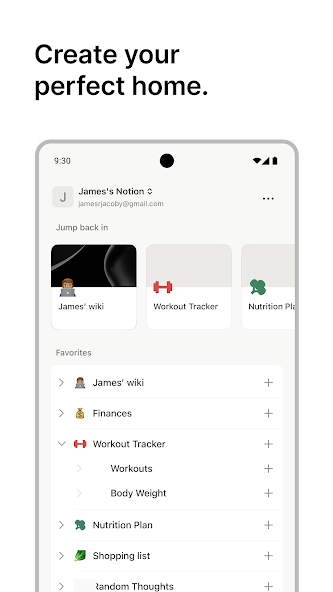
Notion is a collaborative workspace integrating notes, tasks, databases, wikis, and project management. Known for its flexibility, template library, rich Markdown support, and AI-powered assistance, Notion suits individual and team needs. It’s accessible via web, iOS, and Android, with a freemium model and extensive third-party integrations.
2. Meow Todo List & Task: Best for productivity
Cute to‑do list manager & planner with cat icons
- Platforms
- iOSAndroid
- Pricing
- Free, in-app purchases from $0.99, contains ads
- MindScout likes
- 1
Meow Todo List & Task is a simple and visually appealing todo list manager and daily planner. It features light/dark themes, calendar view, subtasks, customizable category icons (400+), fingerprint lock, CSV export, and sync via Google Drive or WebDAV. A VIP subscription unlocks unlimited features.
3. Reloggly: Best for journaling
A searchable inbox for thoughts, voice notes, screenshots and photos
- Platforms
- iOSAndroid
- Pricing
- See website
- MindScout likes
- 1

Reloggly is a searchable inbox for whatever crosses your mind. Capture thoughts, voice notes, screenshots and photos without titles, folders or cleanup. Voice notes are transcribed and photos become searchable automatically. Find saved details by meaning, even when you forget the exact words. Turn ideas into tasks, set reminders, or ask AI chat to connect scattered notes and summarize your week. Available on iOS and Android.
4. Any.do: Best for productivity
All-in-one to-do list, calendar, and reminders
- Platforms
- iOSAndroid
- Pricing
- Free, in-app purchases from $0.99
- MindScout likes
- 0
Any.do is a leading productivity platform that merges task management, project tracking, reminders, calendar integration, and collaboration into a single intuitive app. With real-time syncing across devices, smart reminders, team features, and free or premium tiers, Any.do serves millions globally for both personal and professional planning. It’s available on mobile, desktop, and web.
5. Apple Calendar: Best for productivity
Integrated calendar app for Apple devices
- Platforms
- iOS
- Pricing
- Free
- MindScout likes
- 0
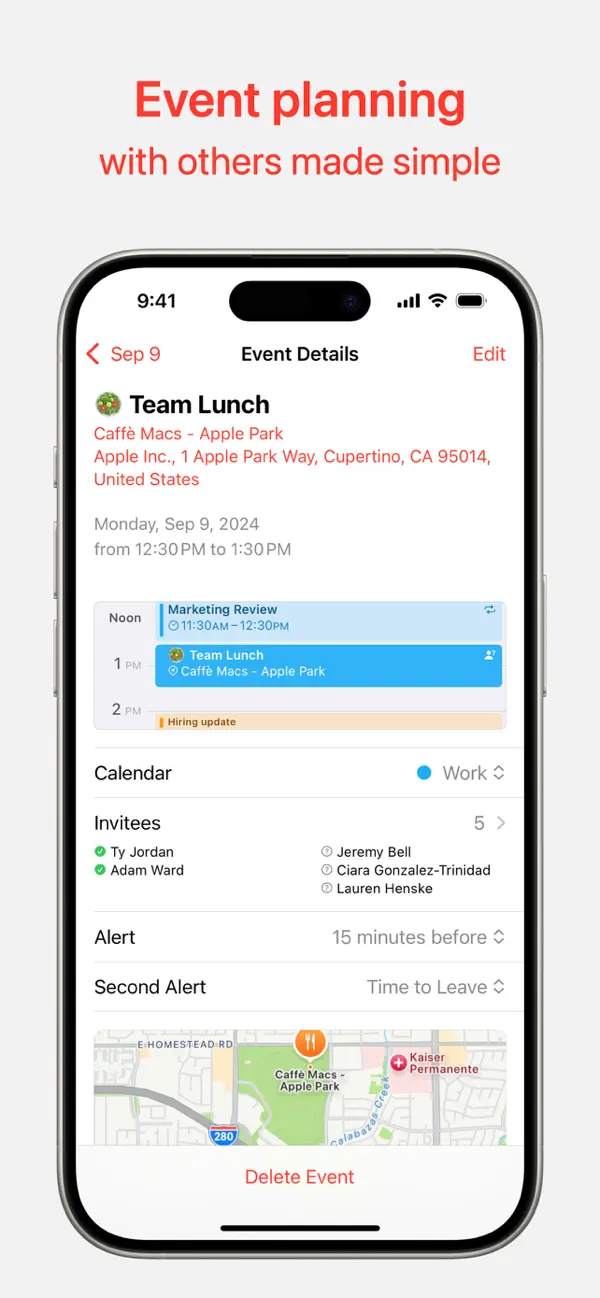
Apple Calendar is a built-in calendar app providing seamless scheduling, color-coded events, and integration with iCloud and other services. Praised for smart suggestions and custom templates, it’s favored by users for recurring appointments and travel plans. Best experience on Mac/iPad, sufficient for everyday scheduling on iPhone.
6. Google Calendar: Best for productivity
Smart, shareable calendar for events and reminders
- Platforms
- iOSAndroid
- Pricing
- Free, in-app purchases from $0.05
- MindScout likes
- 0
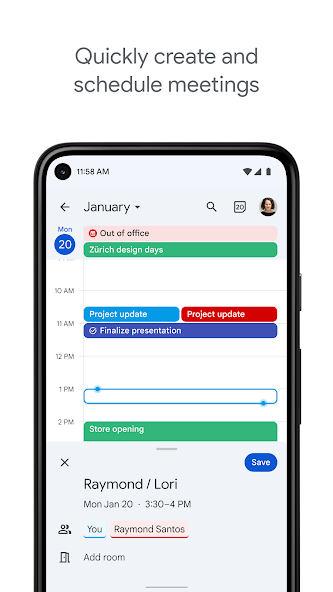
Google Calendar is a feature-rich scheduling app for personal and professional use. It supports color-coded calendars, recurring events, Google Tasks integration, and collaboration. Users can manage events, reminders, and meetings visually across devices, with sharing and notification options for improved time management.
7. Motion: Best for productivity
AI-powered calendar to automate scheduling
- Platforms
- iOSAndroid
- Pricing
- Free, in-app purchases from $1.69
- MindScout likes
- 0
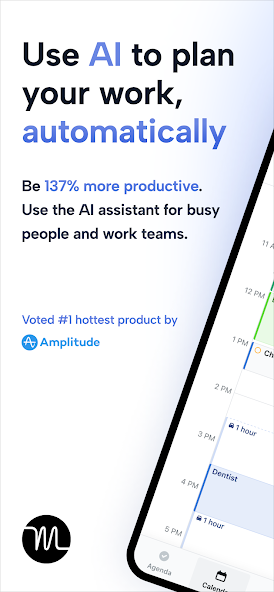
Motion is an AI-driven productivity app that automatically plans your day by prioritizing tasks, scheduling meetings, and optimizing time blocks. It integrates with calendars and task tools to reduce manual planning and prevent overbooking. Ideal for busy professionals, Motion offers a premium service to enhance focus and efficiency.
8. Obsidian: Best for productivity
Markdown-powered knowledge base for notes & ideas
- Platforms
- iOSAndroid
- Pricing
- Free
- MindScout likes
- 0
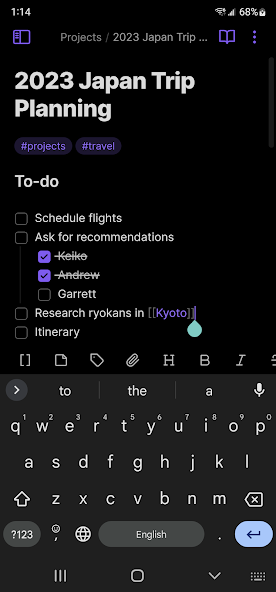
Obsidian is a privacy-first, cross-platform note-taking app using local Markdown files. It excels at creating internal links, graph visualizations, and customizable workflows through plugins. Ideal for knowledge management, personal wikis, journaling, and project planning. Obsidian is available for desktop, iOS, and Android, free for personal use.
9. Sunsama: Best for productivity
Daily planner for focused work-life balance
- Platforms
- iOSAndroid
- Pricing
- Free
- MindScout likes
- 0
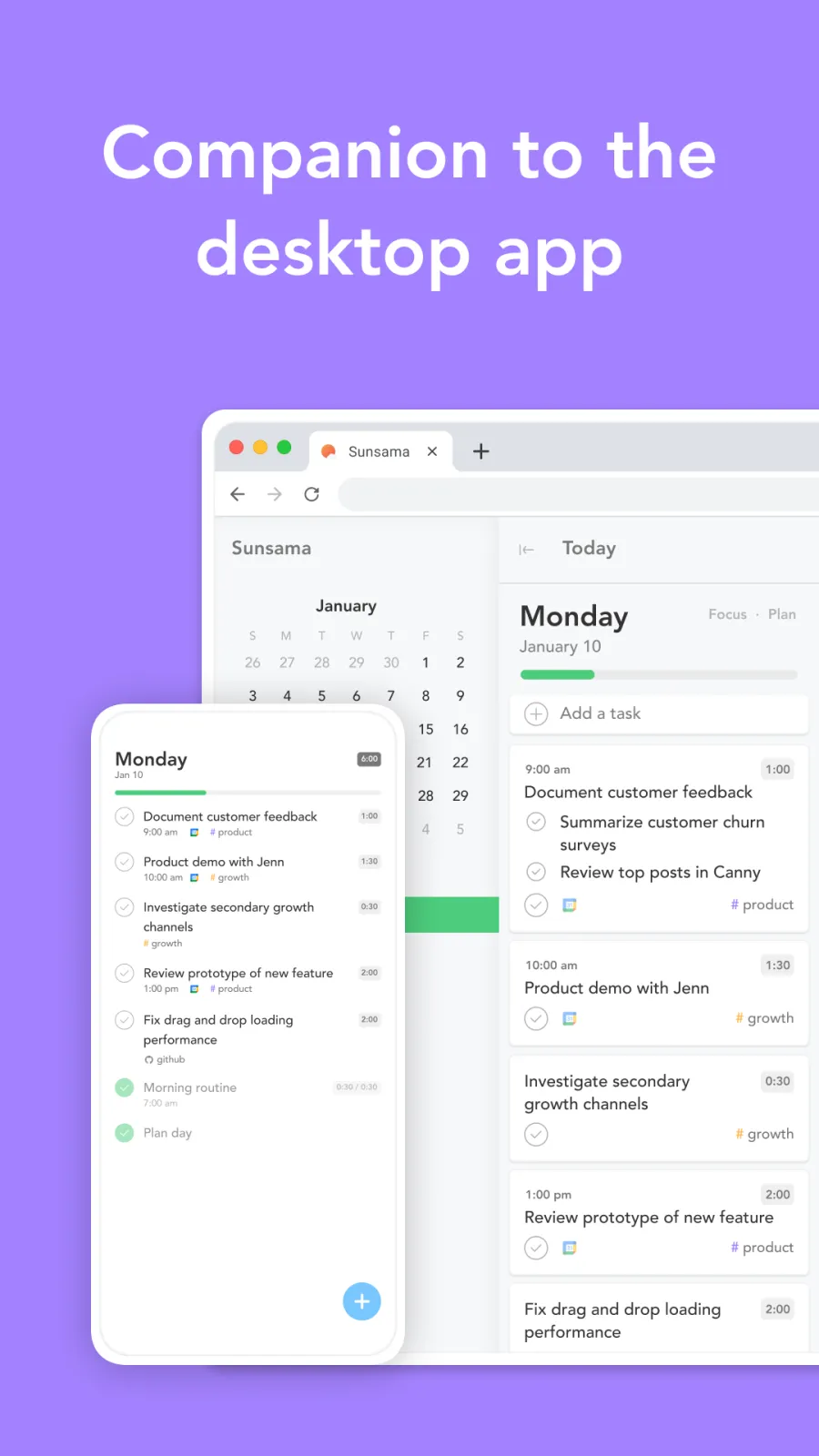
Sunsama is a daily planning app designed to help professionals integrate tasks, calendars, and personal goals into a cohesive schedule. It emphasizes mindful productivity by encouraging time-blocking, reflection, and intentional work. Sunsama syncs with tools like Trello, Asana, and Google Calendar, offering a premium subscription model for individuals and teams.
10. Things 3: Best for planning
Award-winning task manager for Apple devices
- Platforms
- iOS
- Pricing
- Paid, $9.99
- MindScout likes
- 0
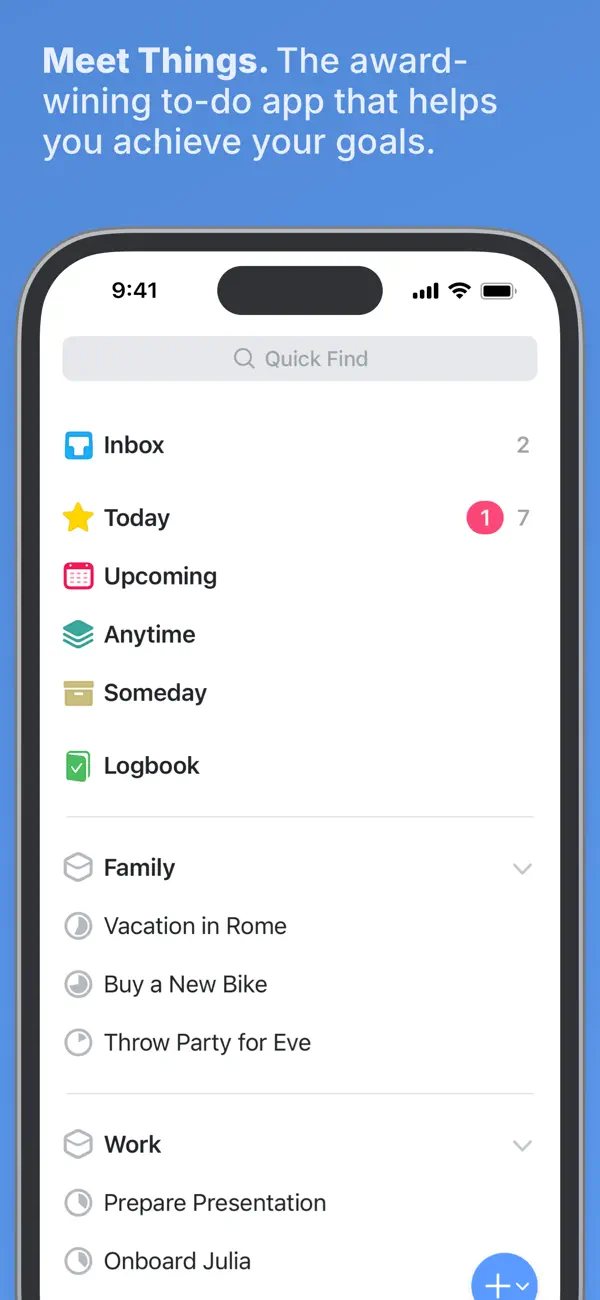
Things 3 is a beautifully designed task management app for Mac, iOS, iPadOS, Watch, and Vision, acclaimed for its simple yet powerful features. It helps users plan their days, manage projects, and set actionable goals with ease. Things 3 offers keyboard shortcuts, robust tagging, and seamless iCloud syncing. It’s sold as a one-time purchase per platform and does not support Windows or Android.
11. Todoist: Best for productivity
Organize work and life with a top-rated task manager
- Platforms
- iOSAndroid
- Pricing
- Free, in-app purchases from $0.99
- MindScout likes
- 0
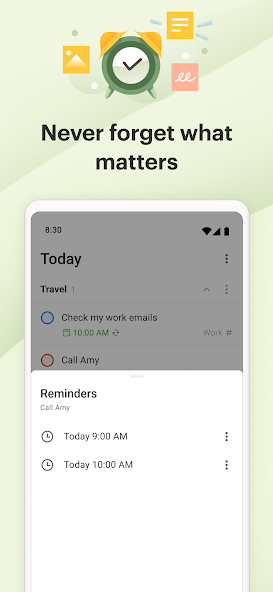
Todoist is one of the world’s most trusted task management apps, relied on by millions to organize personal or work tasks, collaborate on projects, and build productive habits. With powerful natural language input, cross-platform syncing, priority levels, team collaboration, and visual boards, Todoist keeps your tasks and routines streamlined. Enjoy rich Markdown support for notes and insights into productivity trends.
Best free options
- Notion: Free, in-app purchases from $11.99
- Meow Todo List & Task: Free, in-app purchases from $0.99, contains ads
- Any.do: Free, in-app purchases from $0.99
- Apple Calendar: Free
- Google Calendar: Free, in-app purchases from $0.05
- Motion: Free, in-app purchases from $1.69
- Obsidian: Free
- Sunsama: Free
- Todoist: Free, in-app purchases from $0.99
What parents need from a productivity tool
Most productivity apps are designed for someone at a desk with long, uninterrupted blocks of time. Parents rarely have either. The tools that work in family life share a few traits: capture is quick, from a phone, often with one hand; plans can be shared with a partner or a carer; recurring events and tasks are easy to set once and forget; and the app still works when the day is rearranged at 7:45 by a missing shoe.
It also helps to use as few tools as possible. A shared calendar, one shared list and one place for notes cover most family logistics. Adding a planner or an AI scheduler makes sense once those are in place, not before.
Family calendars: one place for school, work and activities
A shared calendar is the single most useful productivity tool for most families. Create one calendar for the family alongside each parent’s own, colour-code them, and subscribe everyone who needs to see it. Recurring events handle the weekly swimming lesson; notifications remind whoever is on pick-up duty.
Several calendar apps also accept invitations and school calendar feeds, so term dates and events arrive without typing them in. The built-in calendar on your phone is often enough; dedicated planners add time-blocking and task lists on top.
Shared to-do lists and task managers
A shared to-do list stops the same question being asked three times a day. Use one list for the household, such as groceries, forms to sign and things to fix, and let anyone add to it. Task managers with natural language input let you type “pay school trip Friday” and get a dated task, and recurring tasks cover bins, bills and medication refills.
Keep work and family tasks in separate projects or lists, so you can hide one while focusing on the other. If your partner uses a different phone platform, check that the app works on both before you move everything into it.
AI that helps working parents with time management
AI schedulers plan your day for you. You list tasks with rough durations and deadlines, and the app fits them around meetings and fixed commitments, then reshuffles when something runs over. For working parents whose days are often interrupted, that automatic replanning is the main benefit: you do not have to rebuild the plan by hand after a call from school.
These tools work best when you are honest about how long things take and block out family commitments as fixed time. They usually need a paid plan and access to your calendar, so read how your data is handled and try the trial before committing.
Notes apps as a family handbook
A notes or workspace app can hold everything that is otherwise scattered across messages and paper: clothing sizes, the paediatrician’s number, allergy details, holiday packing lists, meal plans and the Wi-Fi password for the babysitter. Shared pages mean a partner or grandparent can look things up without asking.
Keep it simple: a handful of pages or a template is more useful than an elaborate system you stop updating. Store passwords in a password manager, not in shared notes.
Apps for self-care and productivity
A productivity system that only schedules other people’s needs will not last. Put your own time in the calendar as a recurring event, whether it is a walk, a class or twenty minutes of quiet, and treat it like any other appointment. If you want help building small self-care habits alongside your planning, see our guides to self-care routine apps and self-care apps for busy moms.
How to choose
Start with a shared family calendar; it solves more coordination problems than any other tool.
Pick apps that work on both parents’ phones and on the web, so nobody is left out.
Look for recurring events and tasks, and for reminders that can go to more than one person.
Check how fast you can capture something one-handed, from a widget or by voice.
Consider an AI scheduler only if your days are regularly reshuffled and you are happy to connect your calendar.
Compare pricing: several of these apps are free for personal use, some are one-time purchases, and AI planners are usually subscriptions.
Frequently asked questions
What are the best productivity tools for parents?
A shared calendar, a shared to-do list and a notes app cover most family logistics. Planners and AI schedulers help working parents with busy, interrupted days. The list above is ranked by MindScout community likes, and each entry says what the app is best for.
Is there an AI that helps working parents with time management?
Yes. AI scheduling apps take your tasks and deadlines and fit them around meetings and family commitments, and replan when something changes. They usually need a paid plan and calendar access.
How do I share a calendar with my partner?
Create a separate family calendar in your calendar app and share it with your partner by email, then set each event’s notifications for whoever is responsible. Most major calendar apps support this on both iPhone and Android.
What is the best free productivity app for parents?
Several apps on this list can be used for free, including calendar apps and to-do lists with free tiers. The free options are listed below the app entries.
Are there apps for both self-care and productivity?
Some planners encourage reflection and work-life balance, and many parents combine a calendar with a separate self-care routine app. Block your own time in the calendar so it is protected like any other appointment.
How are these apps ranked?
By the number of likes each app has from the MindScout community. Store ratings and pricing are shown for reference and do not change the order.
Which of these apps are free?
9 of the 11 apps here can be used for free: Notion (free, in-app purchases from $11.99); Meow Todo List & Task (free, in-app purchases from $0.99, contains ads); Any.do (free, in-app purchases from $0.99); Apple Calendar (free); Google Calendar (free, in-app purchases from $0.05); Motion (free, in-app purchases from $1.69); Obsidian (free); Sunsama (free); Todoist (free, in-app purchases from $0.99). Store pricing can differ by country.